Ask Opulent
Ask questions across your files, knowledge, sources, and prior sessions, then launch a high-context session
Overview
Ask Opulent is the planned window into everything Opulent already knows about your work — your indexed workspaces, attached files, connected sources, Knowledge, and prior sessions. The intended experience lets you:
- Ask questions about how your code or documents work — explore architecture, dependencies, ownership, and key decisions. Ask Opulent is designed to use advanced search across your indexed material to produce detailed, well-cited answers grounded in your own sources.
- Plan work by scoping a task with Opulent before it starts. Opulent generates a context-rich prompt from what it learns, ready to hand off to a full Session.
Ask Opulent is a Gap today — it is a product target, not a shipped standalone Q&A product. You get the same value right now by starting a session with files and sources attached: index a workspace, attach the relevant documents or repositories, and Opulent answers, cites, and acts on them inside the session. The dedicated Ask Opulent search surface described below is Planned.
When you start a session this way, the status of that session is visible directly in the conversation, so you can track progress without switching context.
Recommended workflow today
Until the dedicated surface ships, follow this workflow to get high-context answers and sessions.
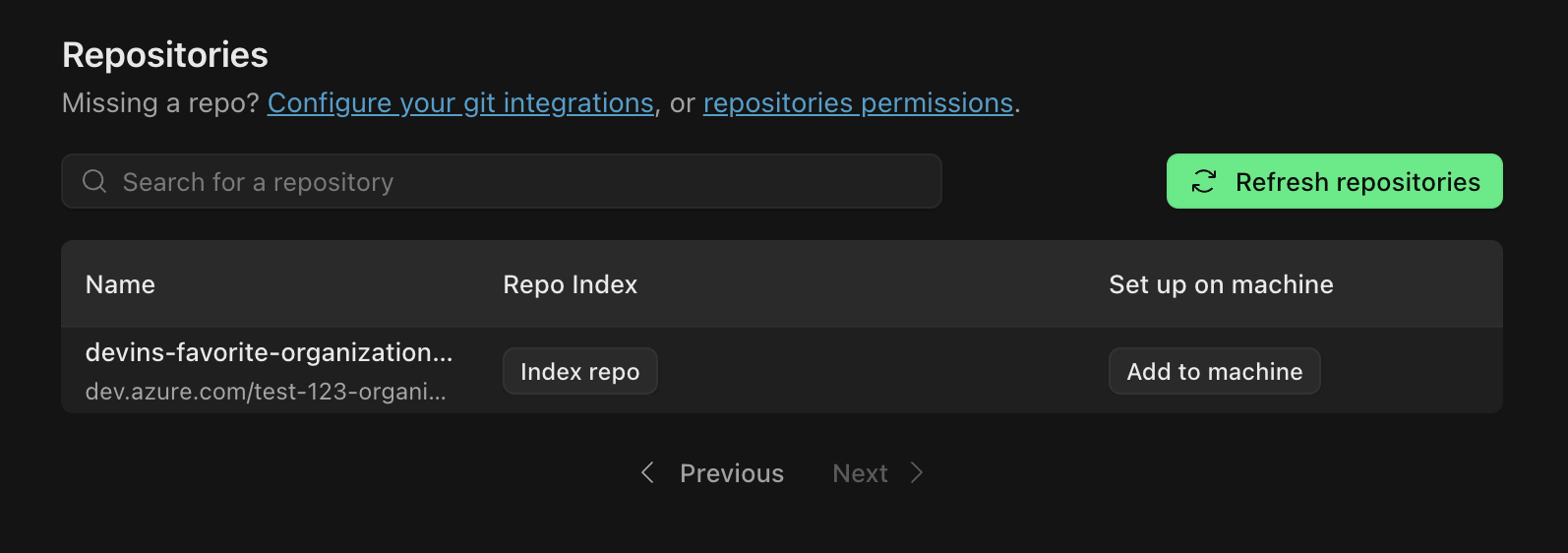
1. Index your workspace
After connecting your source provider, index your workspace. Opulent indexes your material in the background, which powers cited answers and the Knowledge Map.
2. Attach files and sources, then ask
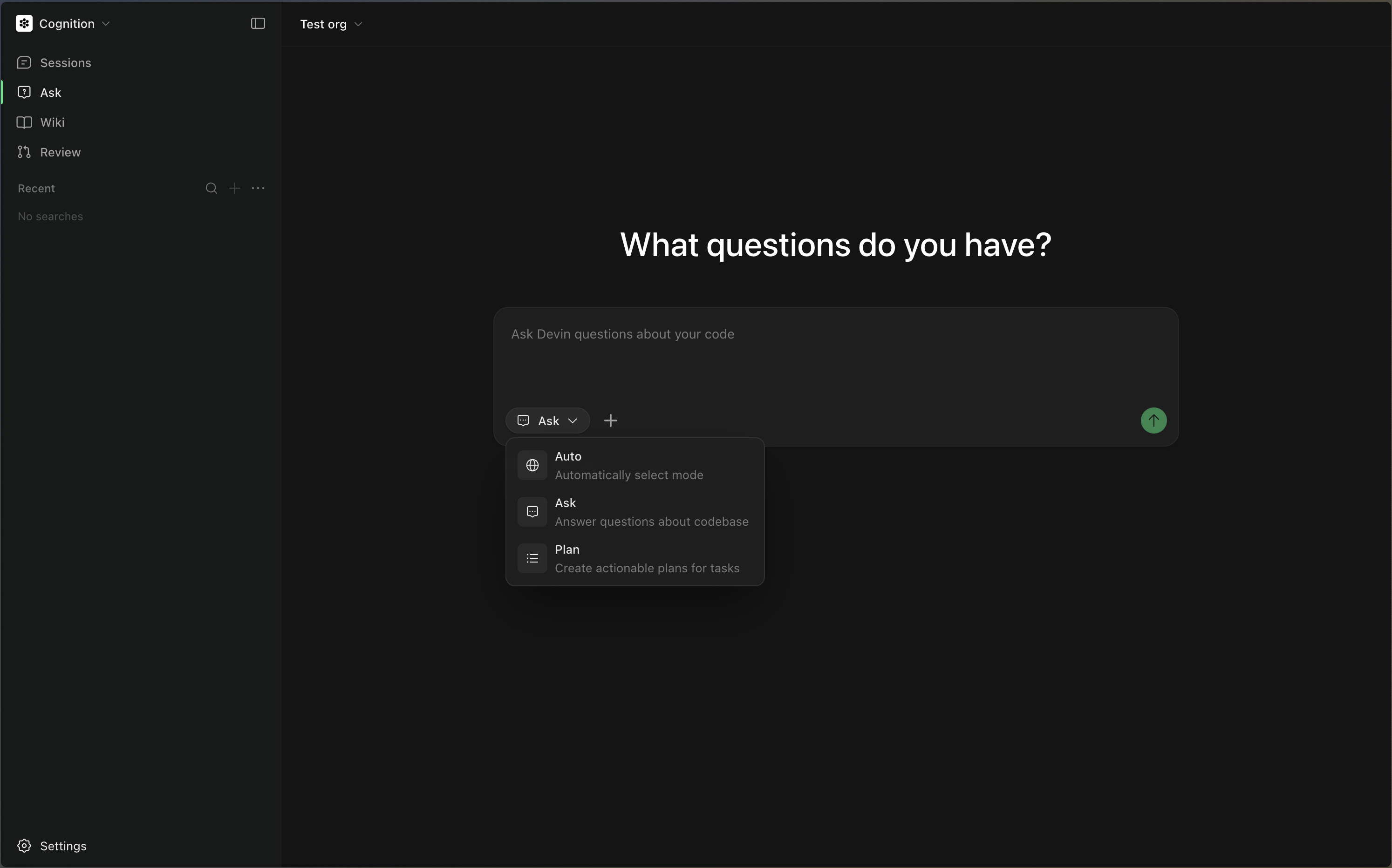
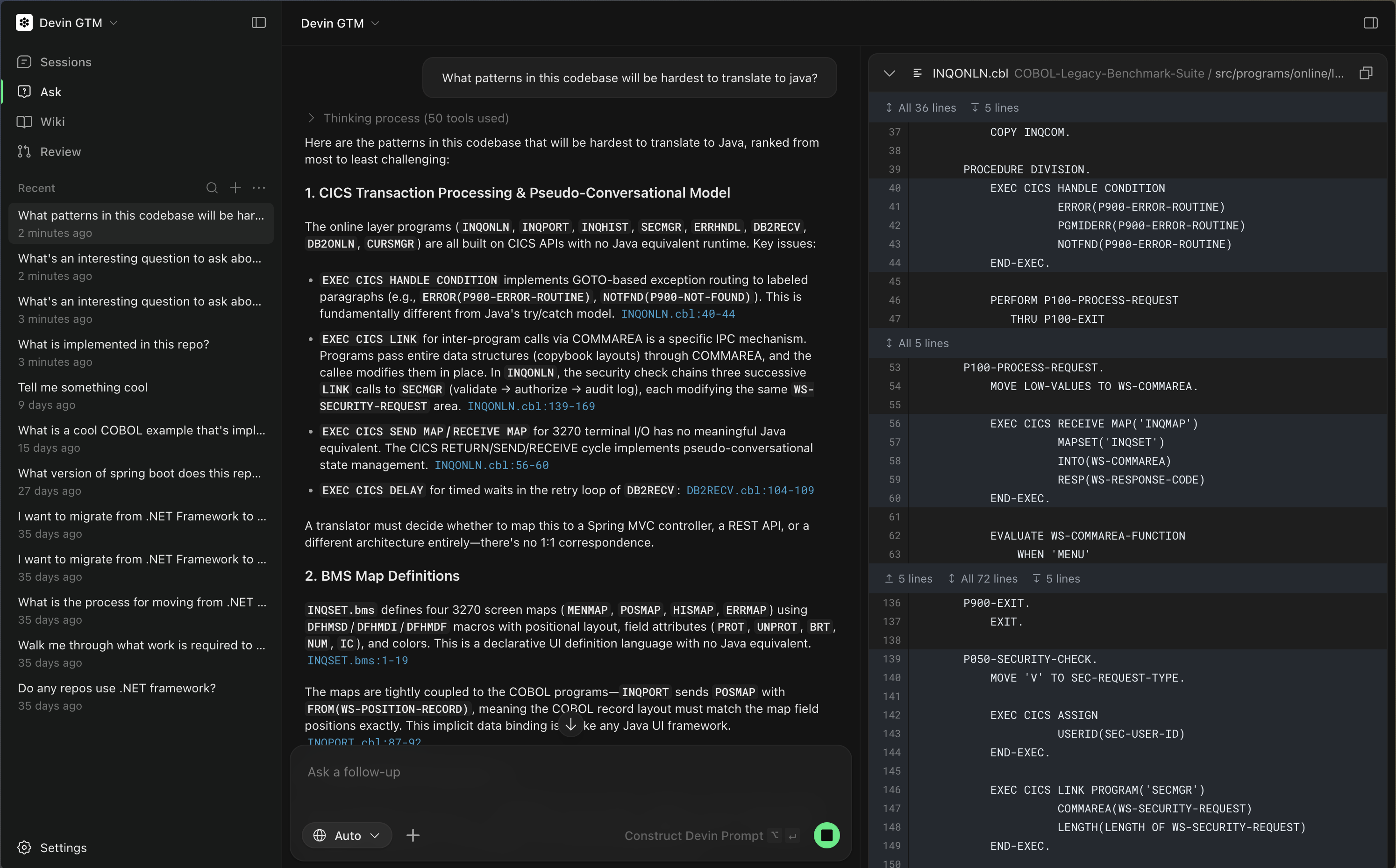
Start a session at platform.opulentia.ai and attach the files, documents, or repositories you want Opulent to reason over. Then:
- Ask technical or domain questions and get detailed, accurately cited answers grounded in your attached sources
- Plan and scope projects, break down tasks, and let Opulent draft a context-aware prompt
3. Turn the conversation into work
Once you have clarified your goal, let Opulent continue straight into execution in the same session. This is the best way to get results because:
- Opulent starts with clear context from your conversation and attached sources
- The prompt is automatically tailored to your task and material
- You are more likely to get successful, relevant results
- The session status is displayed directly in the conversation, letting you monitor progress without leaving the page
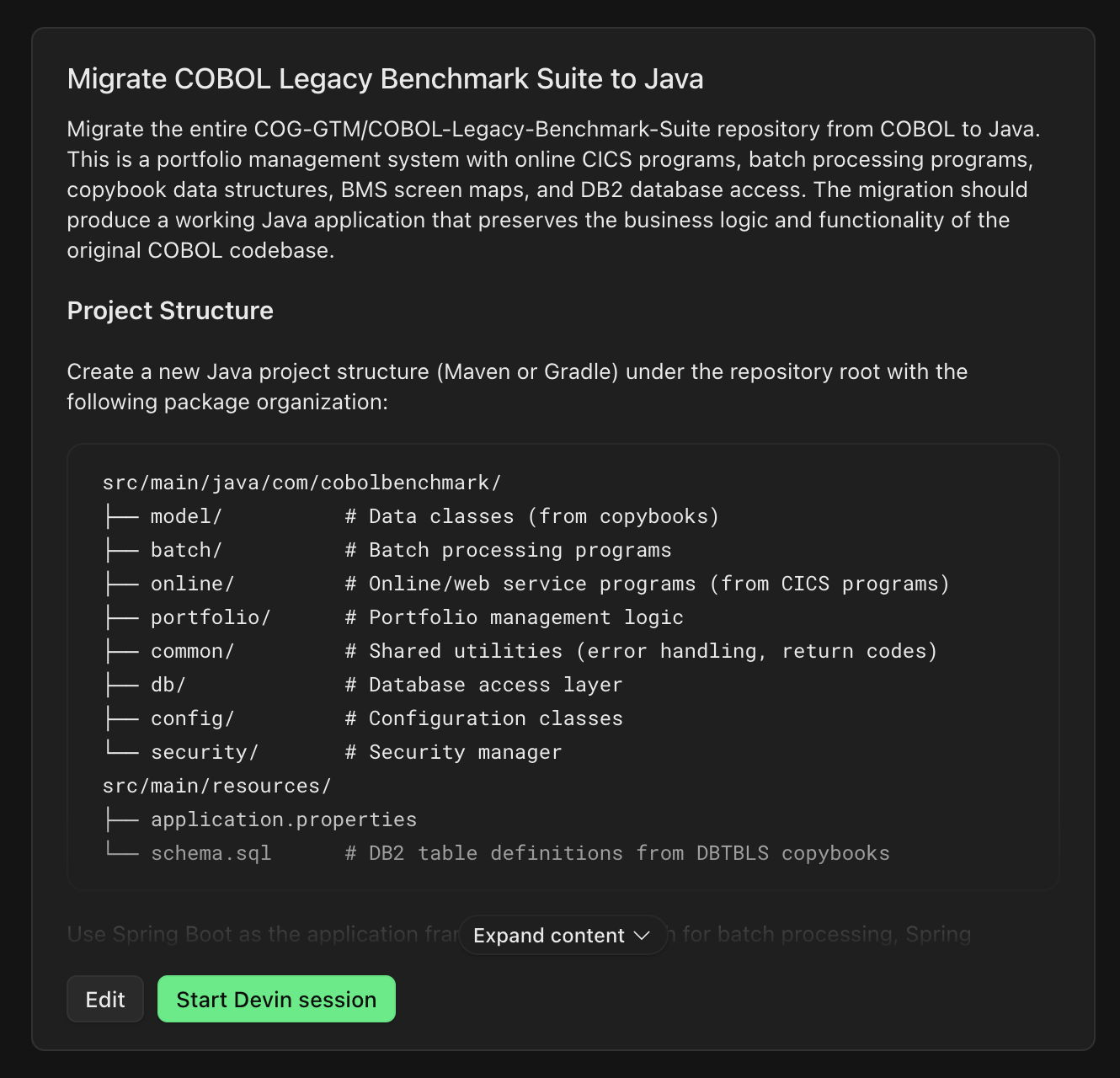
<figcaption style={{ textAlign: "center", fontStyle: "italic", marginTop: "0.5rem" }}>Opulent writes a context-rich prompt from your conversation</figcaption>
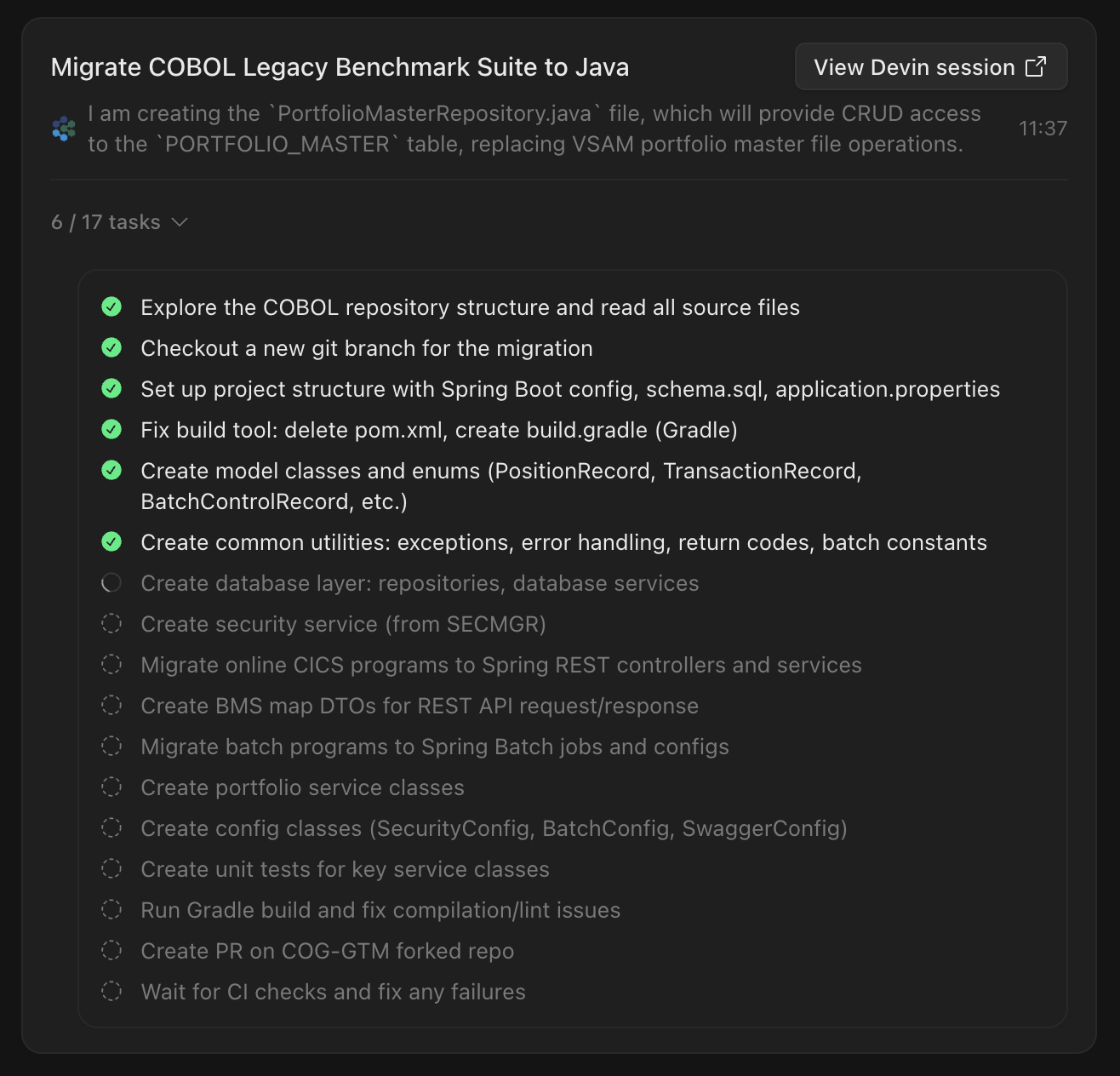
<figcaption style={{ textAlign: "center", fontStyle: "italic", marginTop: "0.5rem" }}>Track session progress in the conversation</figcaption>
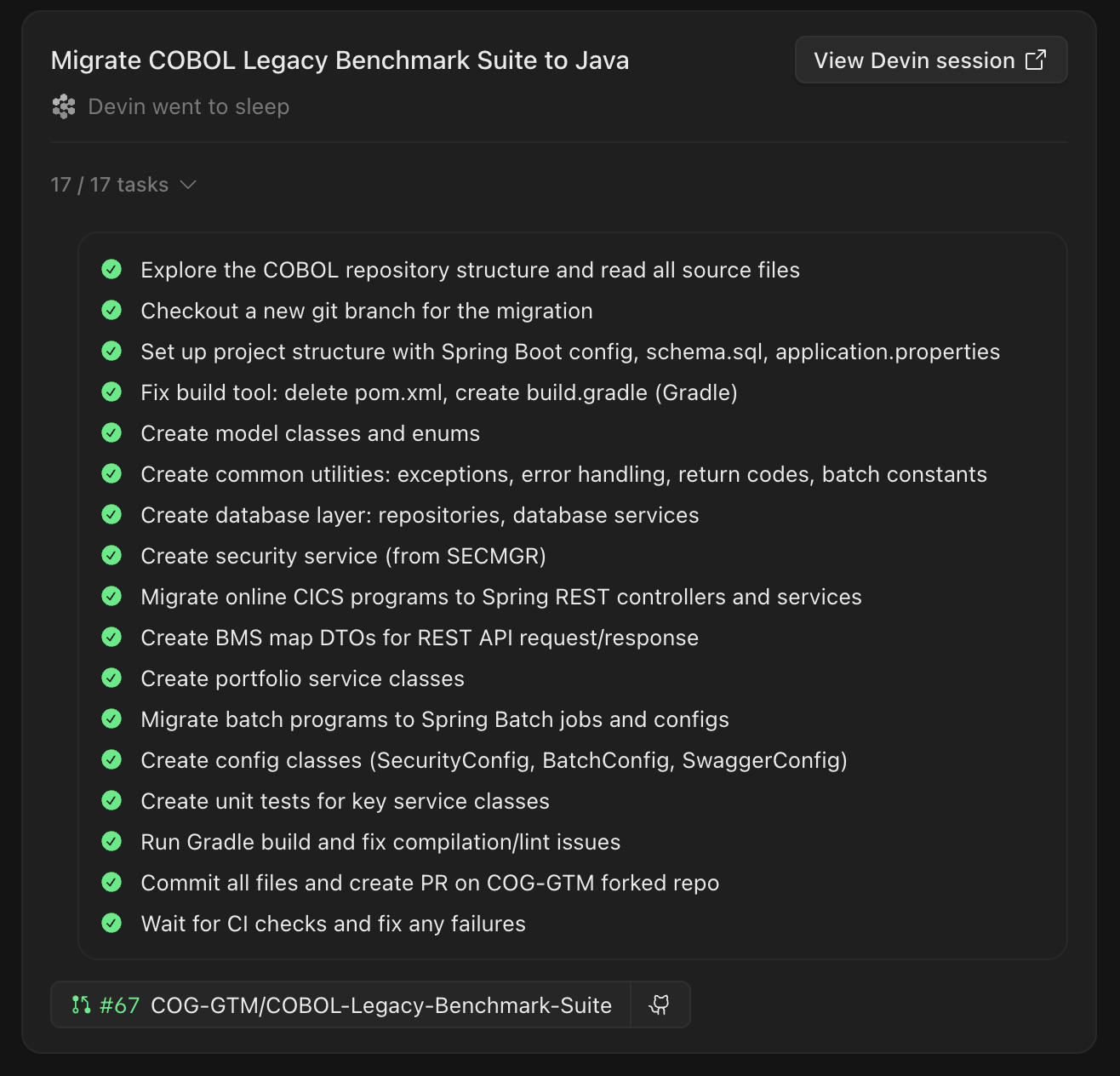
<figcaption style={{ textAlign: "center", fontStyle: "italic", marginTop: "0.5rem" }}>View completed results and PRs</figcaption>