Bitbucket
Work with Opulent directly in your Bitbucket repositories
Why integrate Opulent with Bitbucket?
Integrating Opulent with your Bitbucket repositories lets Opulent create pull requests, read and respond to your PR comments, and collaborate effectively with your team. This lets an Autonomous Knowledge Worker act as a true collaborator on your engineering team.
Prerequisites
Before setting up the Bitbucket integration, we recommend:
- Dedicated service account - Create a new Bitbucket account specifically for Opulent (e.g.,
opulent@yourcompany.com) rather than using an existing user account for cleaner access management and audit trails
Using a dedicated service account makes it easier to track Opulent's activity, manage permissions, and maintain security best practices across your organization.
Setting up the Integration
Bitbucket Cloud
The setup is easy! Here's how it is intended to work:
Create a new Bitbucket account specifically for Opulent (just like you'd create a personal account). You'll use this account, not your personal one, during the integration process.
In your Opulent account, go to Settings > Connections > Bitbucket and click "Connect".
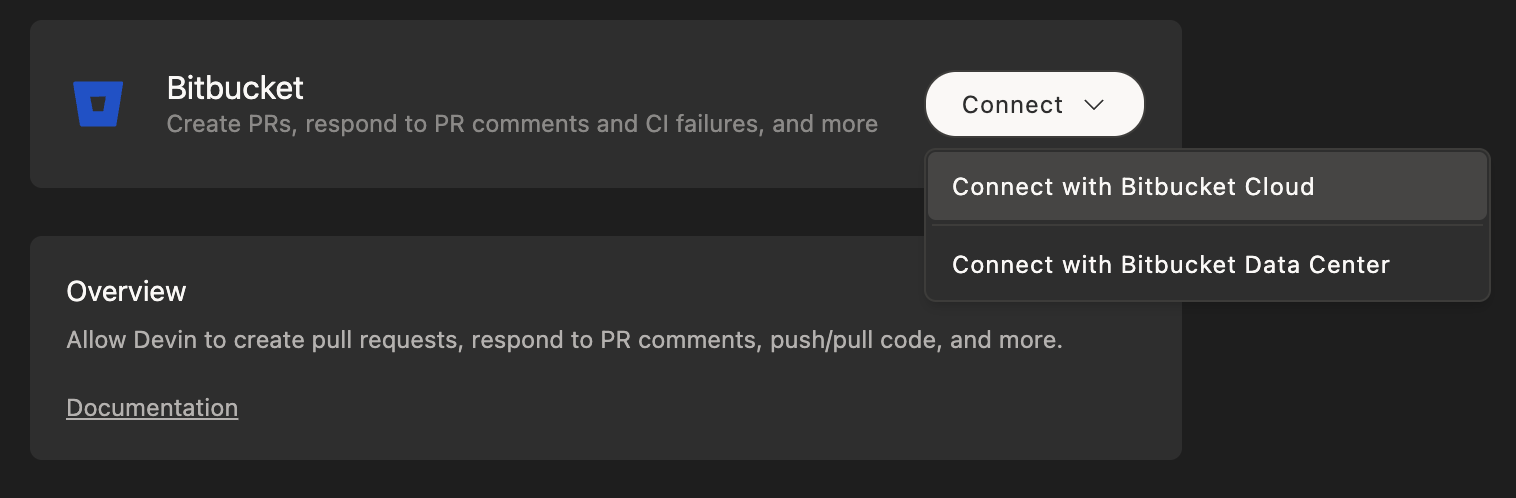
You'll be redirected to Bitbucket where you should:
- Log in with the Bitbucket account you created for Opulent (not your personal account)
- Grant the necessary permissions for Opulent to work with your repositories
Once completed, you'll return to the Opulent settings page where you can confirm the integration is active.
Bitbucket Data Center
For organizations using Bitbucket Data Center (self-hosted), the intended flow is:
Create a dedicated service account in your Bitbucket Data Center instance for Opulent.
In your Opulent account, go to Settings > Connections > Bitbucket and select "Bitbucket Data Center".
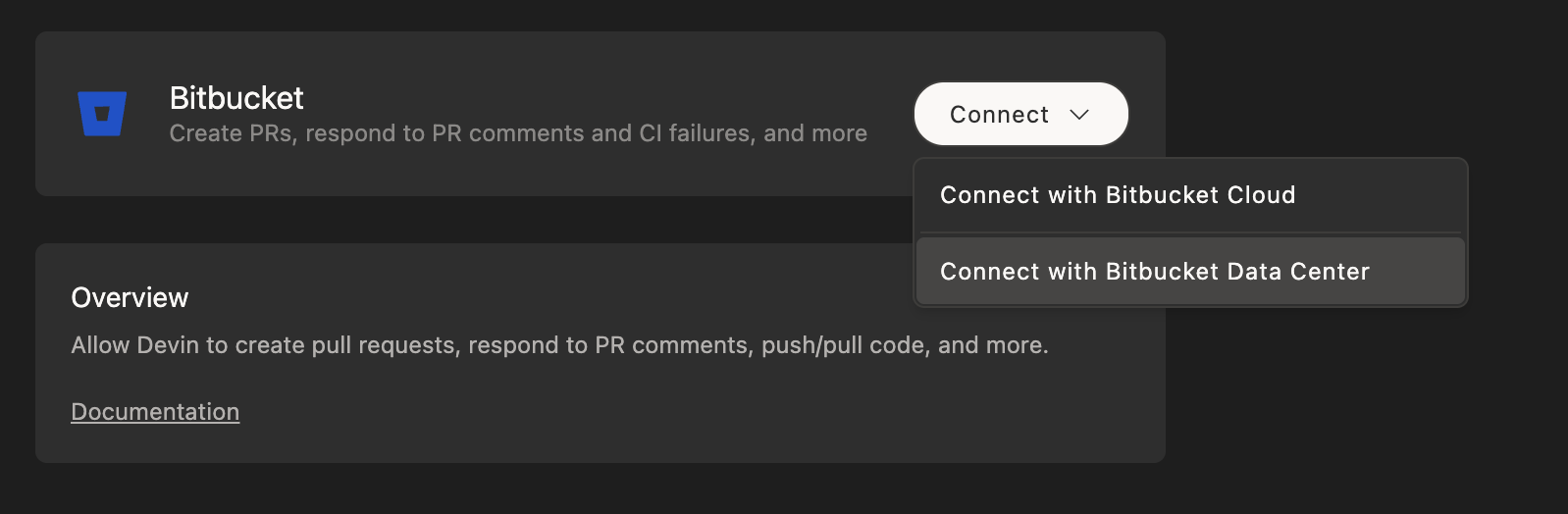
- Configure the connection by providing:
- Your Bitbucket Data Center URL
- Authentication credentials for the service account
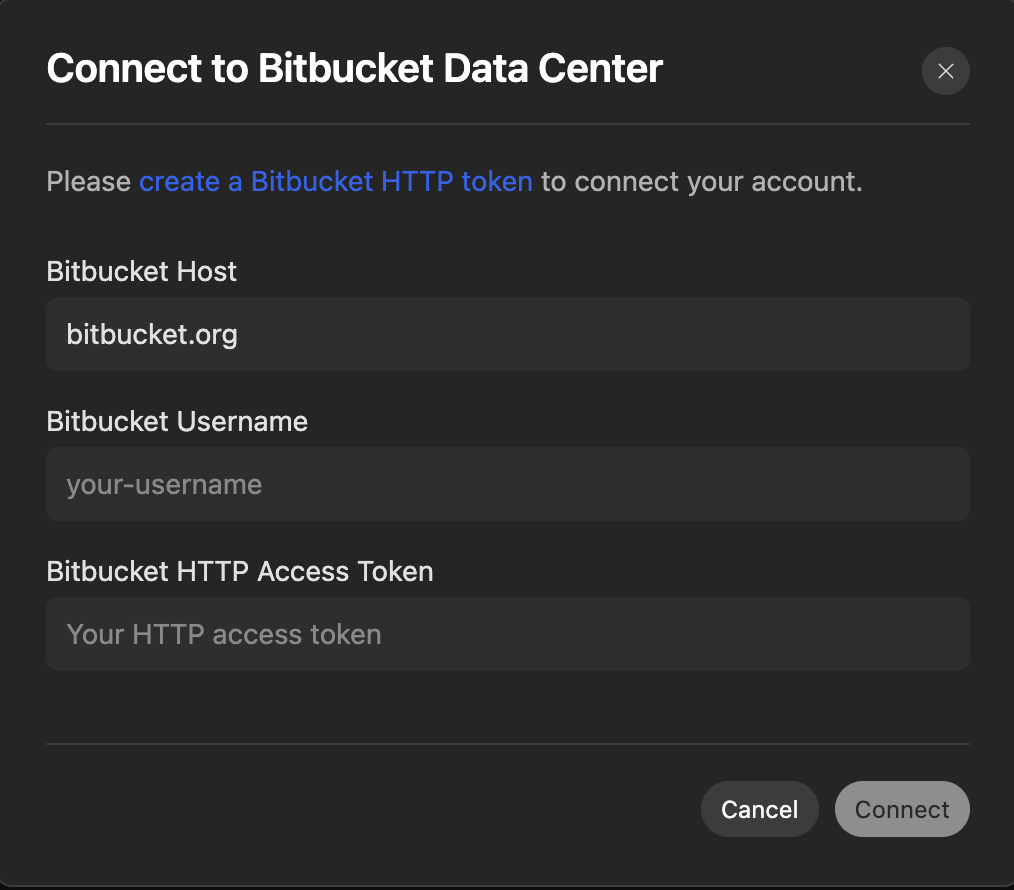
Grant the service account appropriate project and repository permissions in your Bitbucket Data Center instance.
Once configured, you'll see the integration status confirmed in your Opulent settings.
Using Opulent with the Bitbucket Integration
After connecting Bitbucket, set up your repositories on Opulent's Machine.
While Opulent can see and address comments you leave on its pull requests if you ask directly, Opulent will not wake up automatically to respond to these comments.
Best Practices
- Create a dedicated Bitbucket account for Opulent
- Enable branch protections on main/master branches
- Grant the service account appropriate workspace and repository permissions