Invite your Team
Only available for Team and Enterprise plans
Add members to your Opulent organization so you can collaborate with your team and create sessions within the same org. Members share workspaces, organization Knowledge, playbooks, and connected sources.
Member and Admin roles, invites, and shared organization Knowledge are available today. Fine-grained per-workspace permissions and per-seat billing controls are Partial and still rolling out. Check Settings for the options live on your plan.
Roles
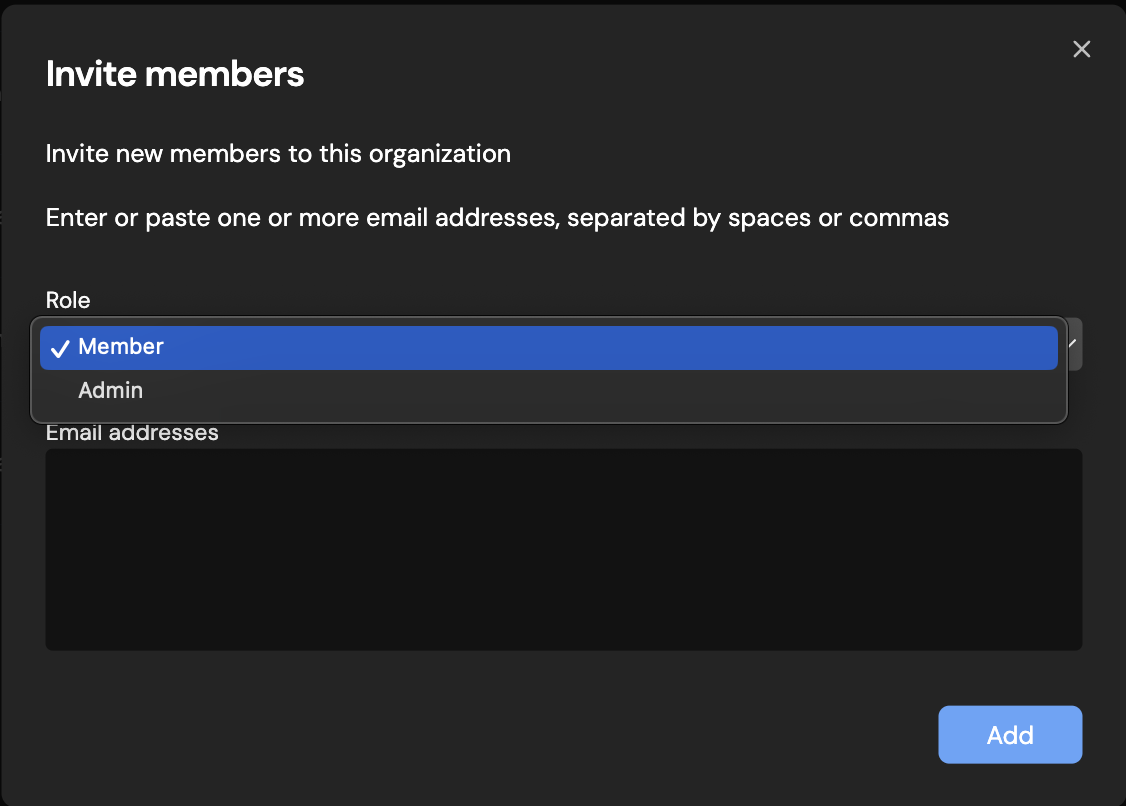
Your organization has two roles:
- Member — Can start Opulent sessions and view and contribute to your organization's Knowledge, playbooks, connectors, environment snapshots, and more.
- Admin — Has all member permissions, plus the ability to set up and manage billing seats, organization connectors, secrets, and other organization-level settings.
Inviting members
To invite new members to your organization:
- Navigate to Settings > Members in the sidebar, or go to platform.opulentia.ai/settings/members.
- Click Invite members.
- Enter the email addresses of the people you want to invite.
- Select a role (Member or Admin) for the invited users.
- Click Send invites.
Invited users will receive an email with a link to join your organization. Once they accept the invitation, they will appear in the members list.
Managing members
From the Members settings page, admins can:
- View all current members and their roles
- Change a member's role between Member and Admin
- Remove members from the organization
Only admins can invite new members, change roles, or remove members from the organization.