Index a Workspace
Enable Ask Opulent and Knowledge Map by indexing the sources in your Workspace
Indexing your Workspace lets Opulent understand the material your team works with and enables features like Ask Opulent and Knowledge Map. A repository is one kind of source you can index. This guide walks through indexing a connected repo.
Status: Partial. Indexing connected GitHub repositories is available today and powers code search. Ask Opulent is a product target, not a shipped Q&A surface, and the generated Knowledge Map browse UI for private Workspaces is on the roadmap. Indexing sources beyond repositories (documents, connectors, drives) is planned.
Workspace indexing is separate from environment configuration. Indexing enables search features; environment configuration sets up Opulent's session sandbox.
Index a repository
- Go to platform.opulentia.ai and ensure you're logged into your organization
- Click on Settings in the sidebar to access your organization settings
- Select the Repositories tab to view all connected repositories
- Click Index repo on the repository you want to index
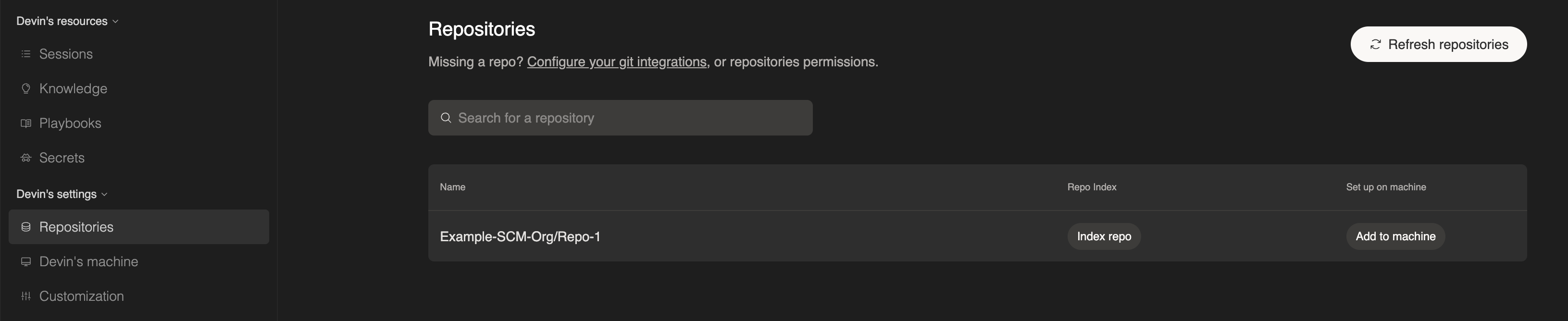
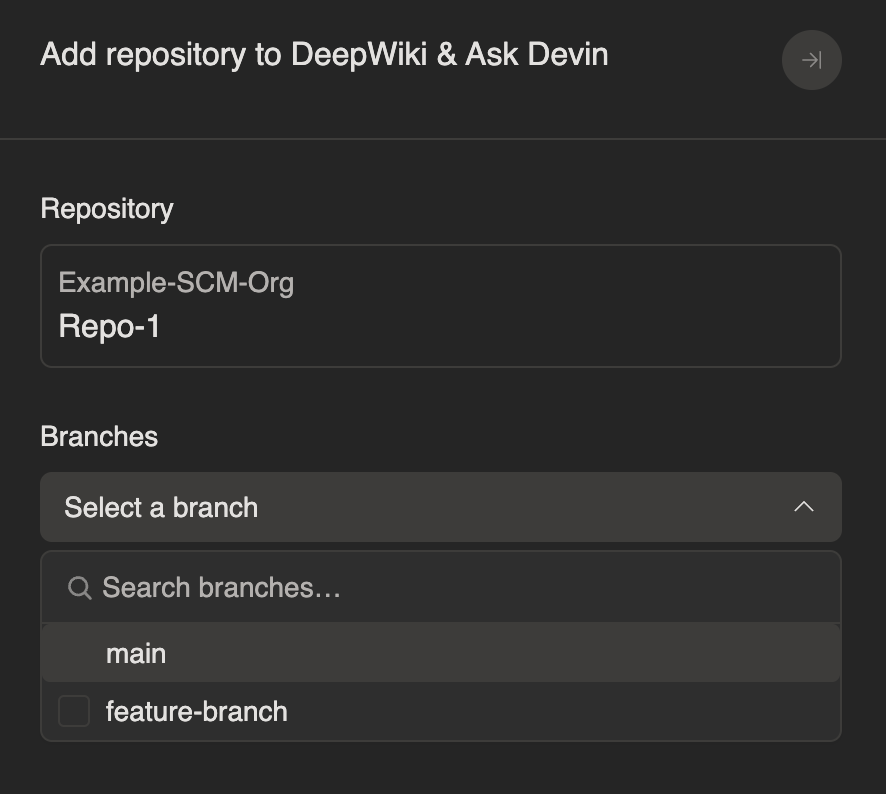
- Select the branch(es) you want Opulent to analyze
- Wait for indexing to complete. This may take a few minutes depending on repository size.
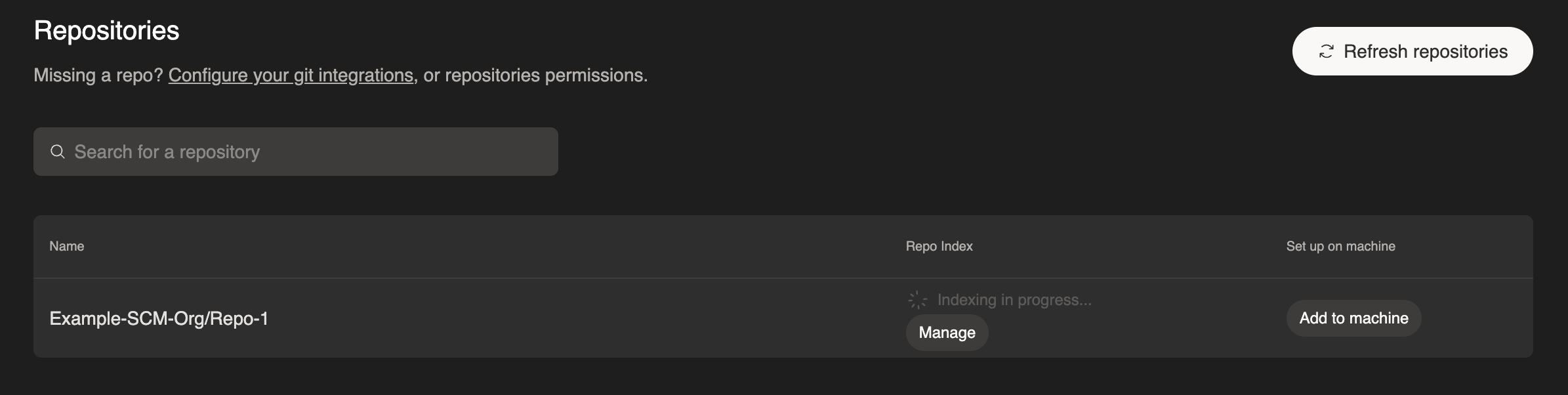
To index additional branches later, click Manage on any indexed repository, select a new branch, and click Add branch.
Once complete, you'll have access to:
- Ask Opulent - Ask questions about indexed sources and get answers backed by search. A product target, rolling out now.
- Knowledge Map - Explore cited maps of your repos. Public GitHub maps exist today; private Workspace maps are planned.
For best results, index the branches your team actively develops on, so search stays close to the current state of your code.