JUNE 28, 2026 · 11 MINUTE READ
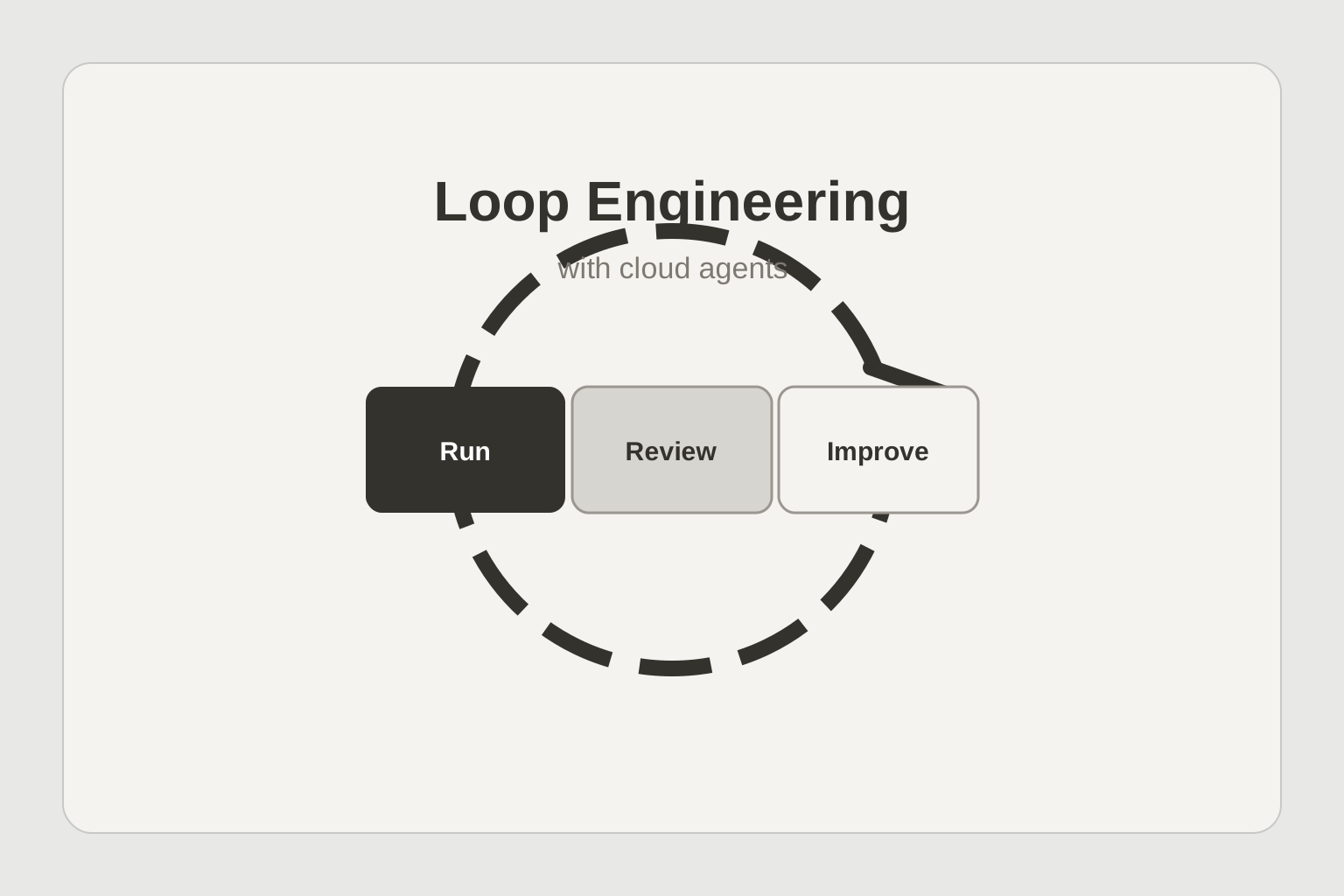
Loop Engineering with Cloud Agents
Run
A cloud agent gathers sources, uses tools, and produces a work product
Review
A grader or human reviewer checks the output against evidence and standards
Improve
Traces and corrections update the harness, skill, rubric, or workflow
The useful loop for knowledge work
A useful agent system is built from several loops. The agent calls tools until a task is complete. A verification loop checks the result. An event loop lets the agent run from a trigger. An improvement loop reads traces and updates the harness.
This model is often explained through software agents. The same pattern matters more broadly for knowledge work.
A client brief, diligence packet, tax memo, CRM cleanup, weekly account update, support analysis, or operating report should not be treated as one prompt. It should be treated as a loop.
The loop starts when work arrives. The agent gathers context. The agent drafts or updates the artifact. A reviewer checks the work. The system records what happened. The next run uses that record to get better.
That is loop engineering for knowledge work. The goal is not to make the first answer sound better. The goal is to make repeated work easier to request, easier to verify, and easier to improve.
Local assistants stop at the first loop
Local assistants are useful when one person is thinking through a task. They help with drafting, editing, and exploring options while the person is present.
Most knowledge work does not stay inside one person's prompt. The request may start in email. The files may live in Drive. The notes may be in Slack. The facts may sit in a spreadsheet. The final artifact may need to become a memo, a deck, a dashboard, or a follow-up sequence.
A cloud agent can run the larger loop because it has a workspace, tools, files, memory, approvals, and a review path. It can start from an event and return later with a finished artifact.
This is why cloud agents are the right place for loop engineering. The loop needs more than model output. It needs triggers, tool access, traces, evals, review, and a way to update the workflow after mistakes are found.
The SDLC shows the shape of the future
Software teams already show what this looks like in production. Common loops include scheduled smoke tests, production error triage, weekly dependency updates, health digests, auto-fixes on pull requests, large migration parallelization, changelogs, support-ticket reproduction, design-system enforcement, API docs, doc sync, competing solution races, and visual regression tests.
The important part is not that these are software tasks. The important part is that each task is a loop.
Some loops run on a schedule. Some run when an event happens. Some run in parallel. Some race several approaches and ask a reviewer to choose the best result.
A software factory applies this pattern to engineering work. It triages issues, implements fixes, verifies behavior with browser replay, and creates a new issue when verification fails.
That same pattern applies to knowledge work. A new client email can trigger a brief. A meeting transcript can trigger a follow-up plan. A new spreadsheet can trigger a data quality review. A CRM stage change can trigger an account packet. A weekly schedule can trigger a pipeline report.
Fourteen loops for knowledge work
The SDLC list can be translated into knowledge work without forcing the software metaphor.
Schedule daily review of priority inboxes and route the messages that need a draft, a brief, or a decision.
Auto-triage new client files and produce a source list, open questions, and a first-pass work packet.
Schedule weekly CRM hygiene checks and return proposed field updates for review.
Create morning account digests from CRM changes, email threads, meeting notes, and open tasks.
Run review on every important client deliverable before it leaves the team.
Split diligence or research packets into parallel work sessions and merge the findings.
Schedule cleanup of stale action items after a project milestone.
Produce weekly changelogs for client work, sales motions, or internal operations.
Reconstruct customer issues from support tickets and related account context.
Enforce writing standards, brand rules, source requirements, and approval boundaries across drafts.
Generate or update process docs from a ticket, meeting, or workflow change.
Keep decks, memos, and data rooms in sync when source material changes.
Race competing memo structures, research approaches, or financial assumptions, then send the best candidates for review.
Run visual and factual checks on dashboards, reports, and client-ready PDFs before delivery.
Evals are training data for the workflow
Agent design can be treated like fitting a model, but the thing being fit is the model plus the harness plus the evals.
For knowledge work, the eval is the measurable standard for the artifact. Did the memo cite the right sources. Did the spreadsheet flag the right rows. Did the brief separate facts from assumptions. Did the follow-up use the approved tone. Did the report preserve the reviewer's open questions.
A spec tells the agent what to do. An eval tells the team whether the loop worked.
Every eval becomes a vote for how the harness should change. The change might be a better prompt, a stronger retrieval rule, a new approval gate, a different tool, or a more specific skill.
This is why review has to produce structured feedback. If a reviewer only edits the text, the next run does not learn much. If the review records the failure type, source, correction, and acceptance decision, the next run has a better target.
Trace analysis turns review into improvement
The self-improvement loop becomes concrete when the system can read traces, find repeated failures, update the harness, and repeat until the score stops improving.
The point for knowledge work is that traces are useful only when someone or something reads them and turns them into a change.
A knowledge-work trace should show what the agent read, what it ignored, what tools it used, what assumptions it made, where the reviewer corrected it, and which part of the harness changed afterward.
That gives the team a practical improvement loop. If an agent misses the same source twice, update the source order. If it keeps using the wrong tone, update the writing skill. If it misclassifies the same transaction type, add an eval. If it sends too much low-value work to review, tighten the trigger.
Humans stay in the loop where judgment is required
Loop engineering does not remove review. It makes review more useful.
A grader can check links, required fields, totals, policy language, source coverage, and format. A human reviewer still decides whether the framing is right, whether the recommendation is acceptable, and whether the work can leave the organization.
For sensitive work, the approval gate is part of the loop. Tax strategy, finance updates, legal drafts, customer communications, and executive reporting all need human judgment before they move forward.
The better the loop is, the less time reviewers spend cleaning obvious mistakes. They spend more time on judgment, exceptions, and final approval.
What Opulent builds around the loop
The software version of this architecture does not stop at writing a fix. It triages, implements, verifies, posts evidence, and reopens the loop if verification fails.
For knowledge work, Opulent applies the same structure to client, finance, sales, operations, support, and research workflows.
A team can define a skill for a class of work. The skill tells the agent which sources to check, how to write, which tools to use, what evidence to cite, and which approval rules apply.
The cloud agent then runs in a separate workspace. It can start from Slack, email, a schedule, a file upload, a CRM change, or an API event. It can produce a memo, spreadsheet, packet, deck, dashboard, or follow-up draft. It can preserve the trace for review.
The improvement loop is the product surface. Teams should be able to see which runs passed, which failed, what reviewers changed, what evals were added, and which skill or harness update should ship next.
How to start
Start with one repeated workflow that already has a reviewer. Do not start with a vague agent mandate.
Write down the trigger, sources, output, reviewer, and approval rule.
Run the workflow manually with a cloud agent until the shape is stable.
Turn the recurring instructions into a skill.
Add a small eval set from accepted and rejected work.
Capture traces from production runs.
Review the traces on a schedule and update the skill, prompt, tool rules, or evals.
The first version does not need to be perfect. The improvement loop has to exist from the start.
The loop is the unit of work
The best cloud-agent systems will not be judged by one impressive task. They will be judged by how well repeated work improves.
Software teams are already showing the pattern through SDLC automation. Knowledge-work teams can use the same structure for briefs, reports, reviews, follow-ups, data packets, and client work.
The loop is the unit of work. The agent runs it. The reviewer improves it. The trace preserves it. The eval measures it. The harness changes after the team learns something.
That is loop engineering with cloud agents.